2 min read
© IE Online Media Services Pvt Ltd

Journalism of Courage



 Samsung Wallet is a free app available on Galaxy smartphones (Express Photo)
 Galaxy smartphones come with several useful built-in features, and the Samsung Wallet is one such addition, which is, as the name suggests, an e-wallet. However, it is a lot more than just an app that can offer quick access to your credit or debit card. With Knox security, the Samsung Wallet is clearly one of the best free-to-use yet secure wallet apps available exclusively on Galaxy smartphones.
Do note that if you have the latest generation of Galaxy Foldables (Z Flip5 and the Z Fold5) and the Galaxy Watch 6, you can also quickly access tickets from the Samsung Wallet directly on the Flex/cover display, adding flexibility to the user experience.
If you have a Galaxy smartphone, you can use the built-in Wallet app to store and access flight tickets. Here is how to add flight tickets or boarding passes to the Samsung Wallet app:
Ensure you have the latest version of the Samsung Wallet app installed on your Galaxy smartphone to use this feature.
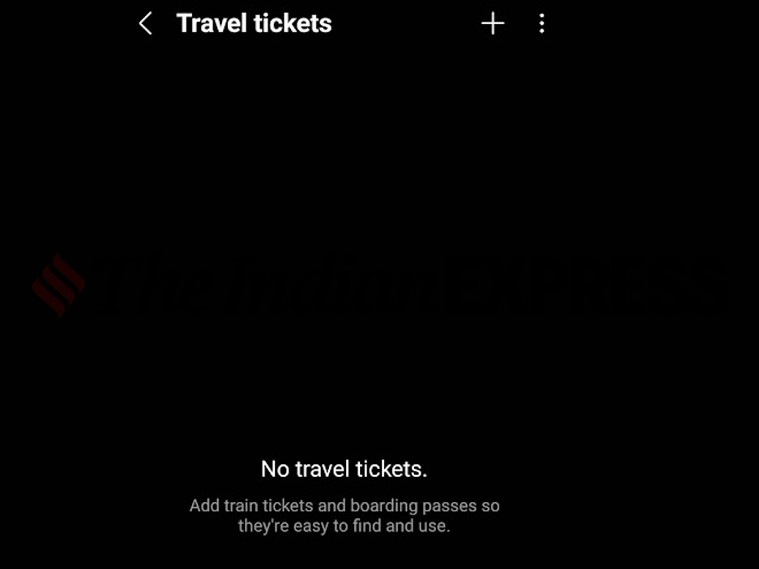 Users can add both train and flight tickets on Samsung Wallet (Express Photo)
You can add a flight ticket to Samsung Wallet by either scanning the boarding pass, or you can import an image from the gallery or a PDF from the file manager.
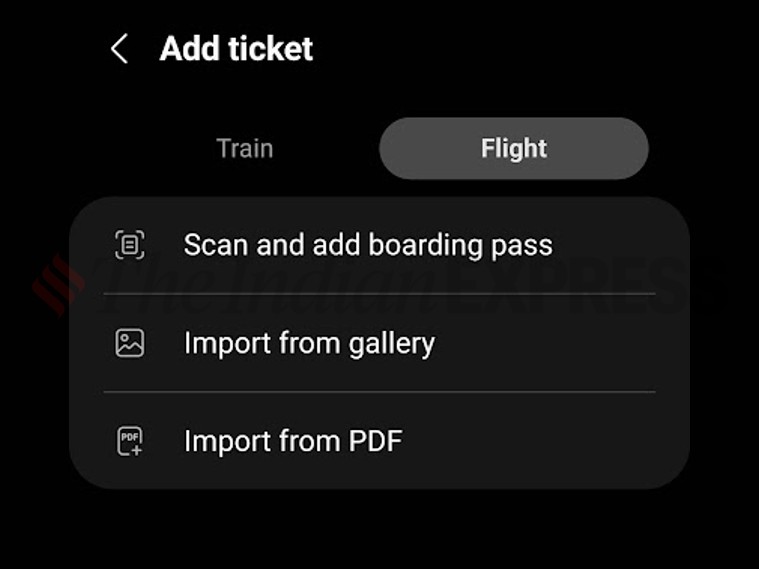 Samsung Wallet offers various options to add flight tickets (Express Photo)
Similarly, Samsung also allows users to add train tickets and check the status of any PNR on its wallet app. One can add a train ticket to the Wallet app by either scanning the ticket or importing an image.