


© IE Online Media Services Pvt Ltd
Tags:


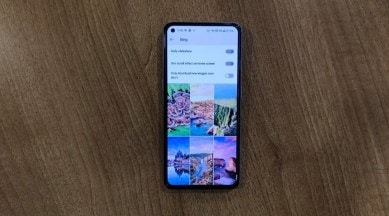
Bing Gallery has one of the most beautiful collections of images from around the world. While the ‘Bing Wallpaper’ app for Android lets you set a new picture as wallpaper every day, users often complain about the app randomly failing to refresh.

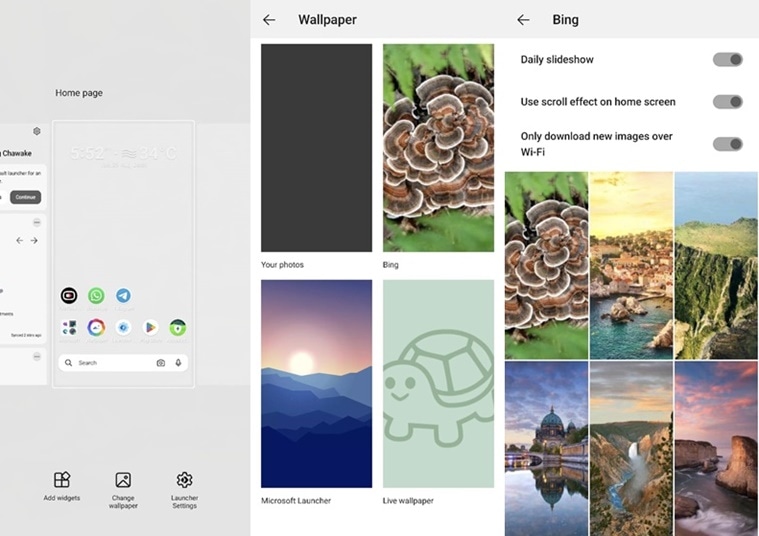
1. To get new images from Bing on your Android-powered device’s home screen, you will need to install ‘Microsoft Launcher’ from the Google Play Store. You can choose to log in using your Microsoft account or skip the process.

2. Once done, open Microsoft Launcher and long press on an empty space on the home screen.
3. From the options that pop up on the bottom of the screen, tap on ‘Wallpaper’ and a new screen will appear.
4. Now click on ‘Bing’ and the app will give you several options to choose from.
Users can choose to enable the scroll effect on the home screen and choose whether they want the app to download images from WiFi or mobile data.
After you are done setting up, simply head over to your home screen or go back and Bing will now show you new images on your home screen. If you cannot go back to your old launcher, find it from the app drawer, open it and set it as default.
One thing to note here is that if you restart your device, you will have to launch Microsoft Launcher after it boots up. If you don’t do this, Bing show your last set wallpaper and will be stuck on the same image unless you explicitly open Microsoft Launcher.


